Visual rule builder
Administrators with Query Builder permission use a familiar point-and-click interface to add conditions, combine them with AND/OR groups, and reset or refine filters before running.
Build filtered reports on orders, loyalty, and menu data without writing SQL—compose rules visually, run them safely on the server, and save queries your team can reuse.
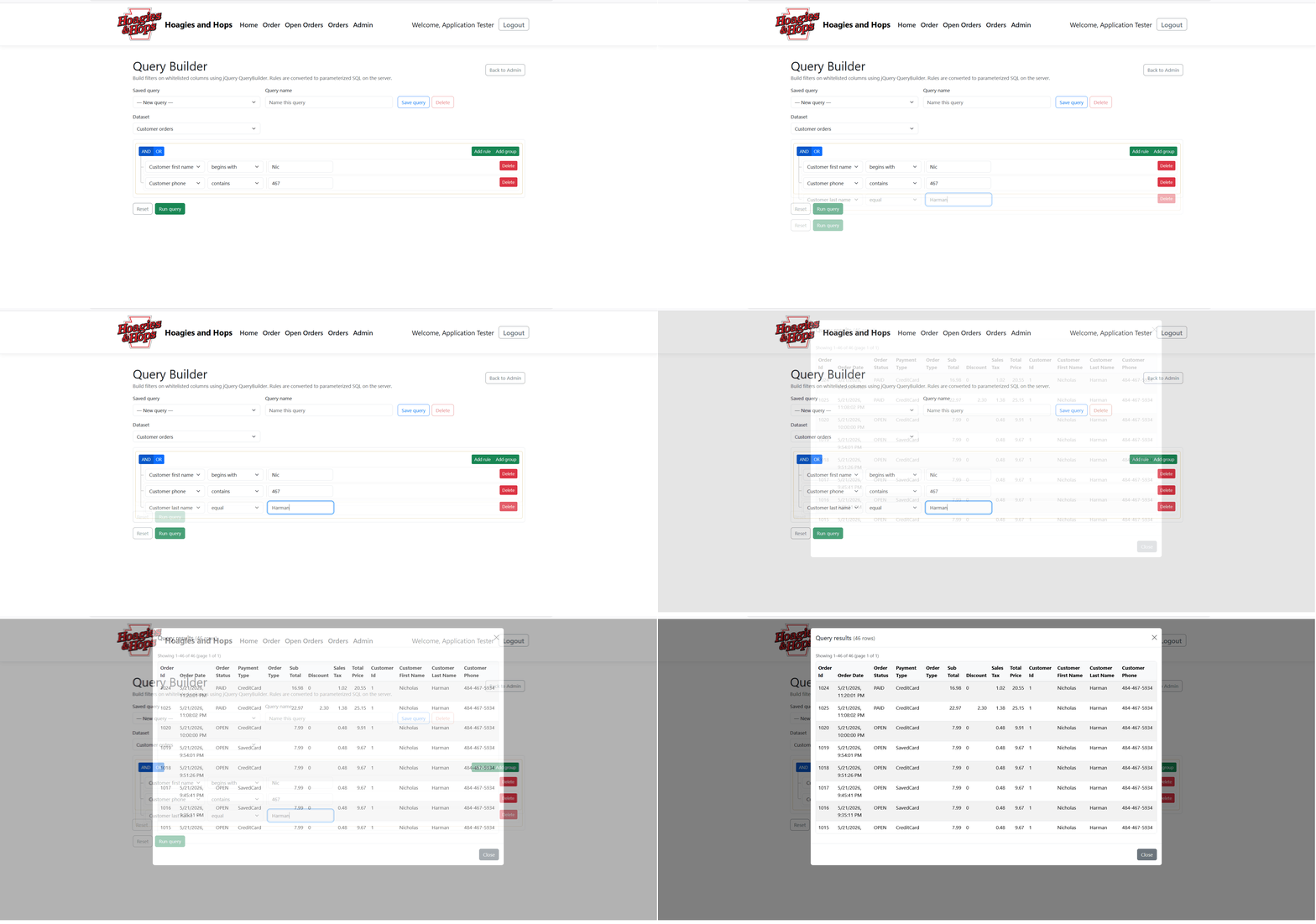
Visual rule builder with dataset selection, saved queries, and paginated results—no raw SQL required from staff.
Administrators with Query Builder permission use a familiar point-and-click interface to add conditions, combine them with AND/OR groups, and reset or refine filters before running.
Only whitelisted columns and operators are allowed. Rules are converted to parameterized SQL on the server— not executed from client-generated strings—so ad-hoc reporting stays controlled and safer.
Name and save filter sets, load them from a dropdown, update in place, or delete when no longer needed. Switch datasets and your saved list stays organized by query name.
Run a query and review matching rows in a scrollable results modal with column headers, formatted values, and client-side paging (50 rows per page) up to 200 rows per run.
Pick a dataset, and the builder loads only the filters defined for that data source. Each dataset has its own column set, filter groups, and sort order—so operators stay focused on the question they are trying to answer.
Filters support the field types your data actually uses—strings, numbers, dates, and yes/no selects—with operators such as equals, contains, greater/less than, between, in list, empty/not empty, and more. Phone numbers use digit-normalized matching so formatted entries still find the right customer.
| Step | What you do | Outcome |
|---|---|---|
| Choose dataset | Select customer orders, loyalty, items, or another source | Builder loads the right filters for that data |
| Build rules | Add conditions and AND/OR groups; optional reset | Visual filter set ready to run or save |
| Save (optional) | Name the query and save for later | Reusable definition in the saved-query list |
| Run query | Execute with up to 200 matching rows | Modal table with columns and paging |
| Review | Page through results, export or follow up in other tools | Actionable lists for ops, loyalty, or menu review |